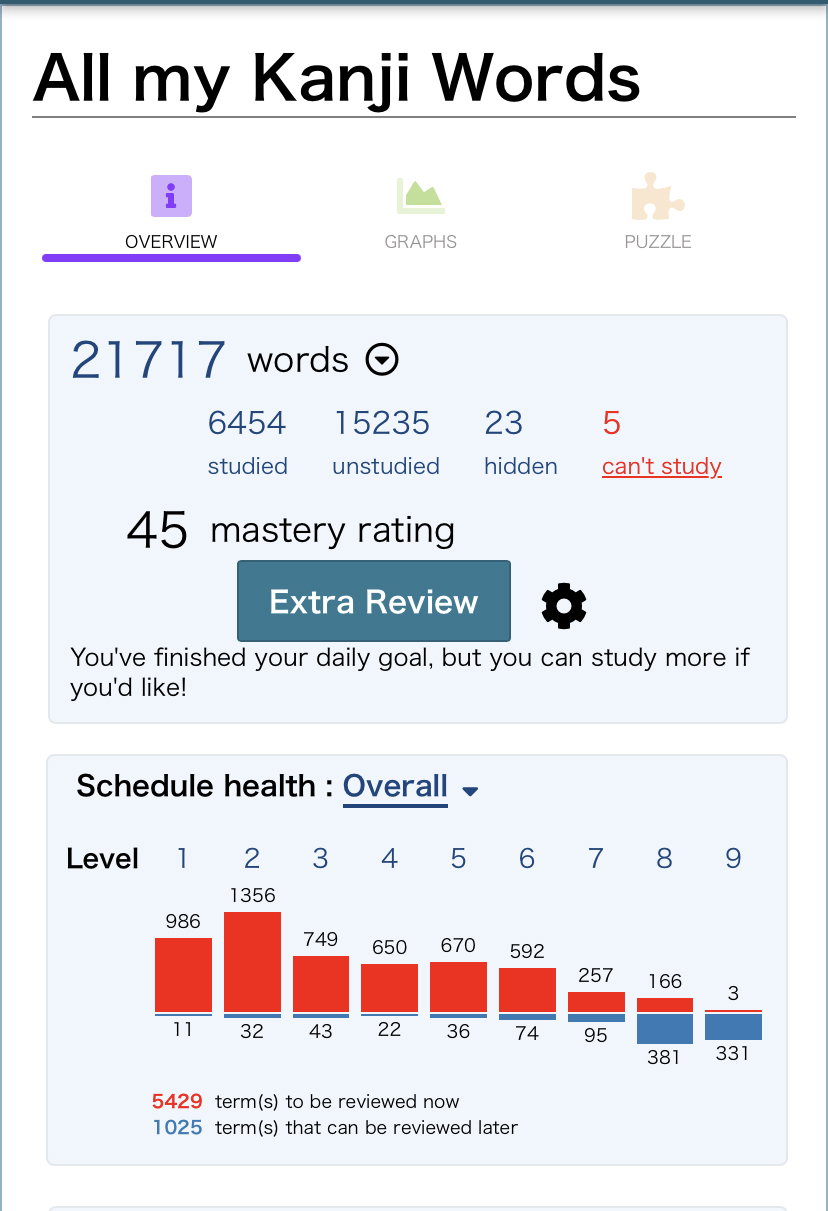
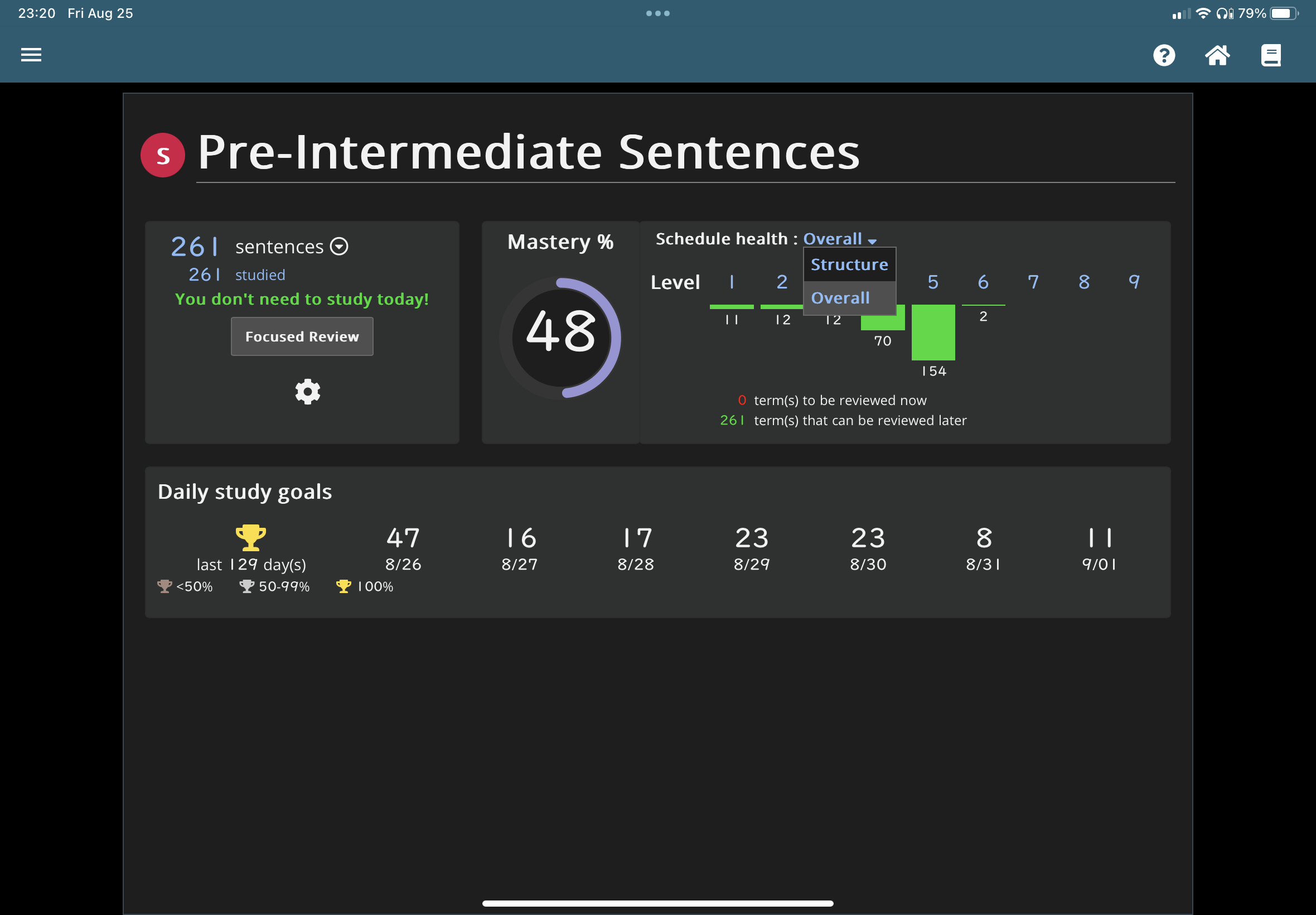
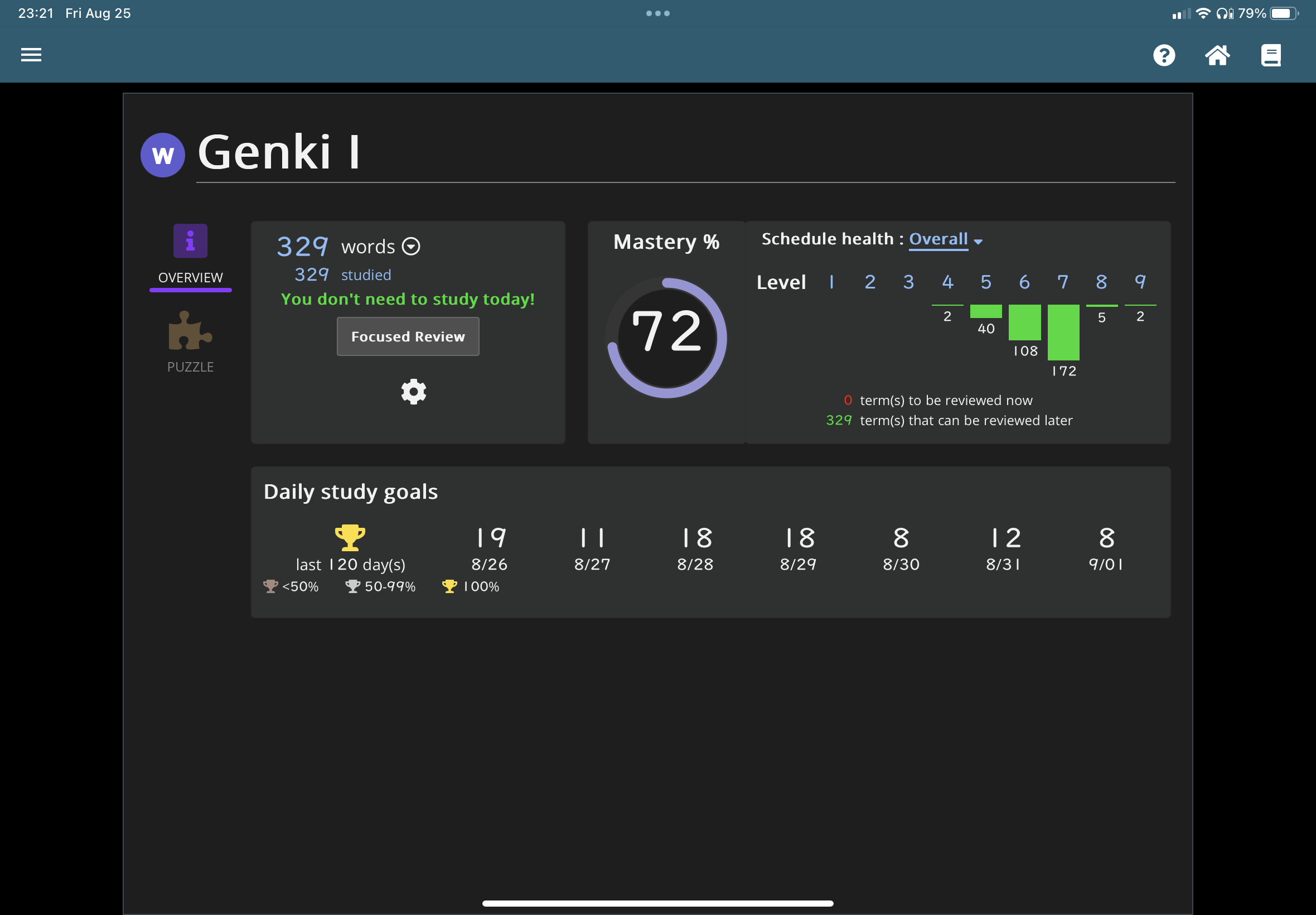
Is there a way to see how many items are left in a schedule. (I’m not 100% sure what they are called) I am currently doing some schedules like N5 vocabulary, grammar, kanji, sentences, etc. I want to know how many I have left to study. Like if there were 1000 N4 words and I had done 400 so far, I would want to know how many I have left to study.(For things like the textbooks that have like chapter 1, 2, etc, that you have to add to study, is there a different way to find this out?) I want to do all the N4 stuff soon, but I don’t know how many more items I need to do a day to make this goal. Is there any way to see this? I know this app has tons and I’m not the best at navigating it. Thank you!
I’m not sure if I’m in the right place though I think I am. I’m also on a tablet if that plays a part in it, or if you have renshuu pro, or if that’s a custom schedule. I’m not 100% sure. I attached some pictures. When I use the drop down it just says how many I have studied so far, not how many I have left. I do really appreciate the help! But maybe it’s the interface?