I was a little overzealous trying to learn kanji and there’s quite a few kanjis I’m still not familiar with, and it’s affecting my vocabulary learning as I don’t even recognize some of the kanji in these words. Is there a way to turn Furigana back on for select words? I’m not sure how to proceed.
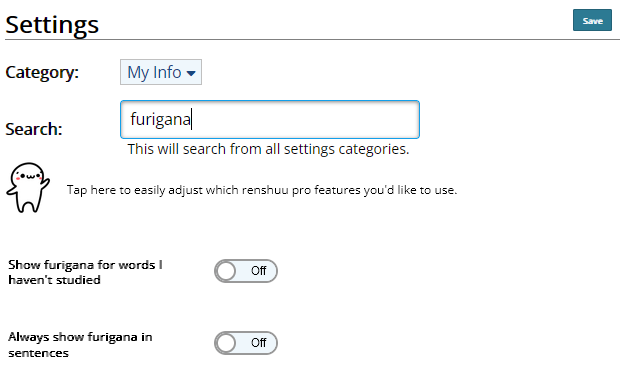
If you search "furigana" in your user settings you can enable these:
and then the only place furigana will be missing is when you're in a vocabulary quiz being tested on the kanji form of a word.
If you don't want to be studying the kanji forms of words, either, under "Currently studying" in your schedule settings, uncheck the "Japanese" question types and they will expand into individual kanji & kana vectors. Then disable the kanji vectors, and you will not get tested on kanji forms of words at all, no matter how well you know the kanji.
If you still want to study the kanji forms of words but you've introduced too many kanji too quickly, you will need to unlearn whatever kanji you're struggling with and set them to Unknown again. Click on the lightbulb next to a kanji to toggle whether it's known or not, and click your mastery level to manually adjust it to zero, or in a list of kanji set the view to "tinker" and click "unknown" next to all of the ones you want to disable in words.