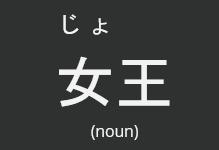
Hey i've studied some kanji, and it made the furigana for some kanji disappear when i study vocab. I 'm not that good at kanji readings yet, so is there any way to make the furigana re-appear? Here is an example from a quiz:
(where it is assumed that i know the reading for the 王-character, but not for the 女-character)
I've studied both of those kanji characters before so i don't get why it is being displayed this way.
I did a rebinding of the kanji/words in your account, so those two should be consistent.
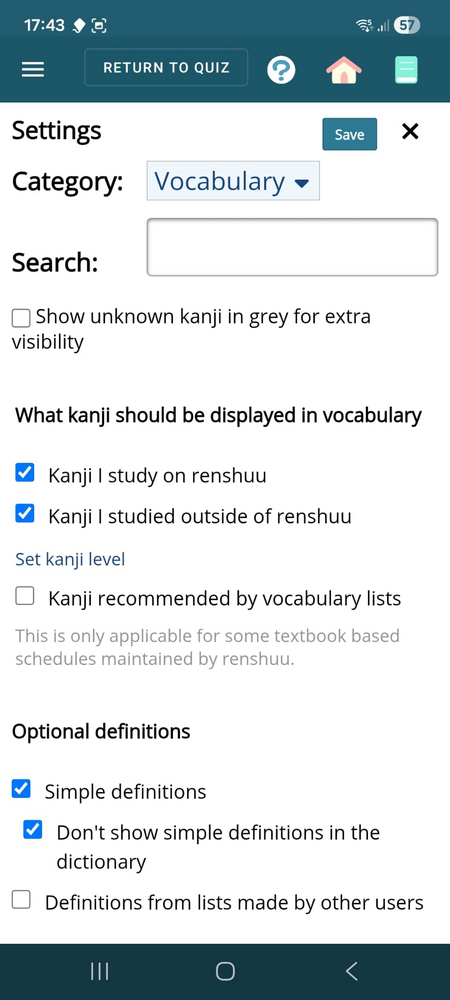
Now, if you want renshuu to ignore what you've studied kanji-wise, go into the menu > settings > Vocab, then there is a set of checkboxes for "what kanji to display in vocabulary" - uncheck the one related to studied in renshuu.
Um, can you do this for me as well? Please? I am doing meanings so I dont have all the readings in my head yet, and it makes sentences harder to read even when I know what they mean. All furigana enabled regardless of kanji studied or not? If possible to make this a toggle in settings, would really help!