Vocabulary dictionary

Kanji dictionary

Grammar dictionary

Sentence lookup

test
 

Forums - Kanji appearing in Words for Japanese basics

Top > renshuu.org > Questions about renshuu


avatar
GreenOrca
Level: 74

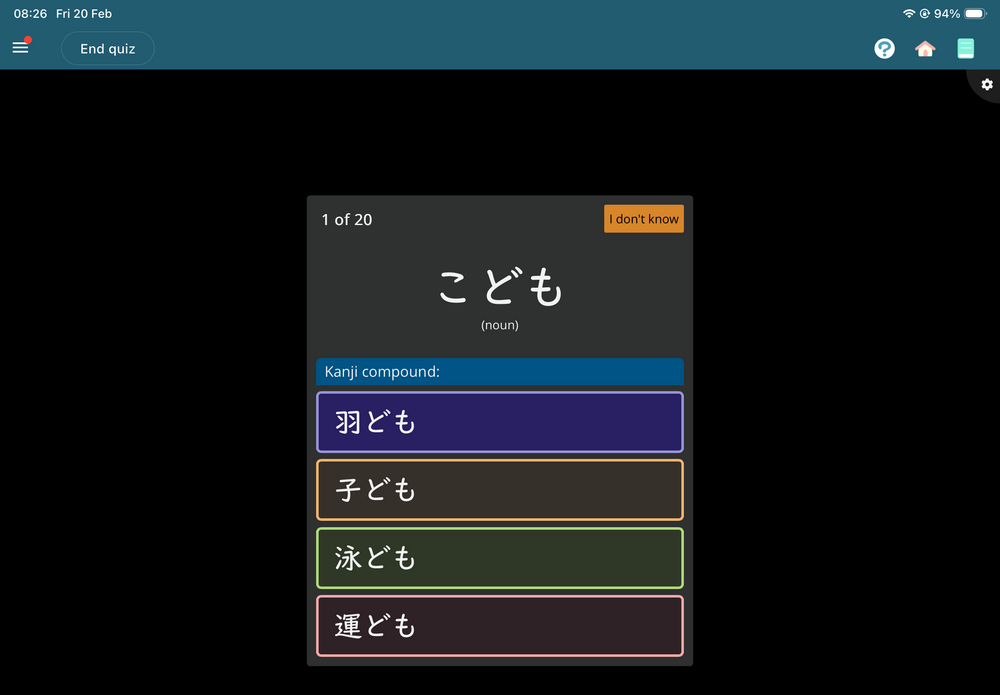
Fairly new to the platform, I have been learning the words for Japanese words but today it has started to include kanji. I have not yet started to learn Kanji, only added to my schedule today. Any ideas what I have done or what it is doing? Thanks in advance.

I have attached an image of the type of question appearing.

71cda435b61a0ea8ce3be1e3.png
0
7 days ago
avatar
Flo ・フロ
Level: 274

Youll learn the kanji in N5

itll only offer you kanji questions you're studying ^^

"I'm learning n5" -> n5 kanji questions

dont worry if it's hard/'I'm not getting anywhere', we all used to really struggle, and still do!

1
7 days ago
avatar
Mi_san
Level: 5

Are you good in Kanji? I'm struggling a little bit it gets better

1
6 days ago
avatar
GreenOrca
Level: 74
Mi_san (0221, 22:25)

Are you good in Kanji? I'm struggling a little bit it gets better

​I have not studied any kanji yet so the change in the basic word schedule was a shock. I am working out how to learn kanji as nothing makes sense now.

0
6 days ago
avatar

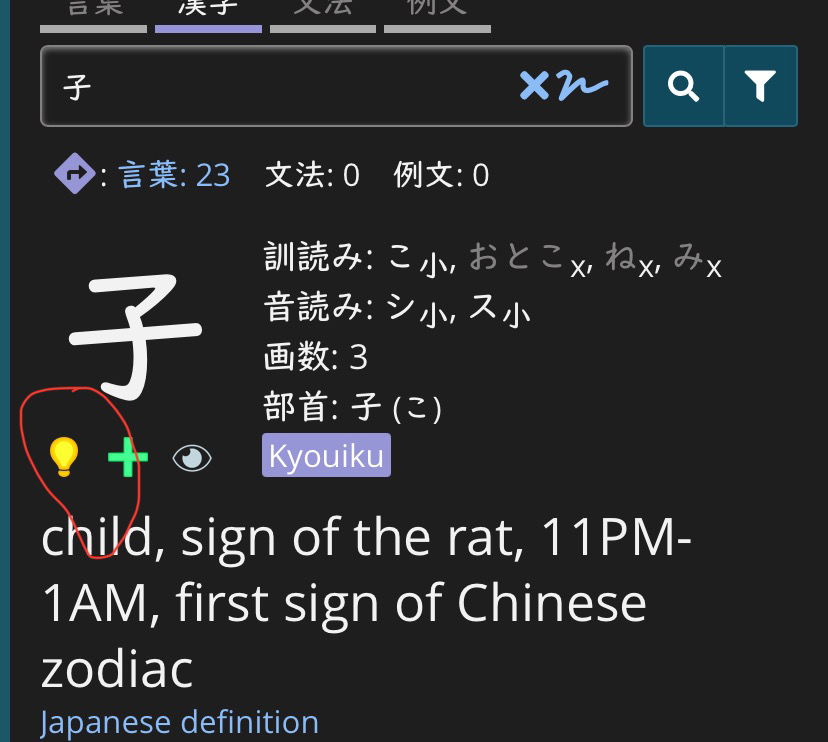
GreenOrca, depending on how you answered the onboarding questions when you created your account, renshuu may think you already know some kanji. You can correct its information by turning off the light bulb on each kanji it thinks you know.

1de7fc20cef4706999c8afe1.jpg

If that’s seems like too much hassle, you can do a bulk update using the kanji search tool, but that might be a bigger sledgehammer than you need.

1
6 days ago
avatar
Sà:m
Level: 60

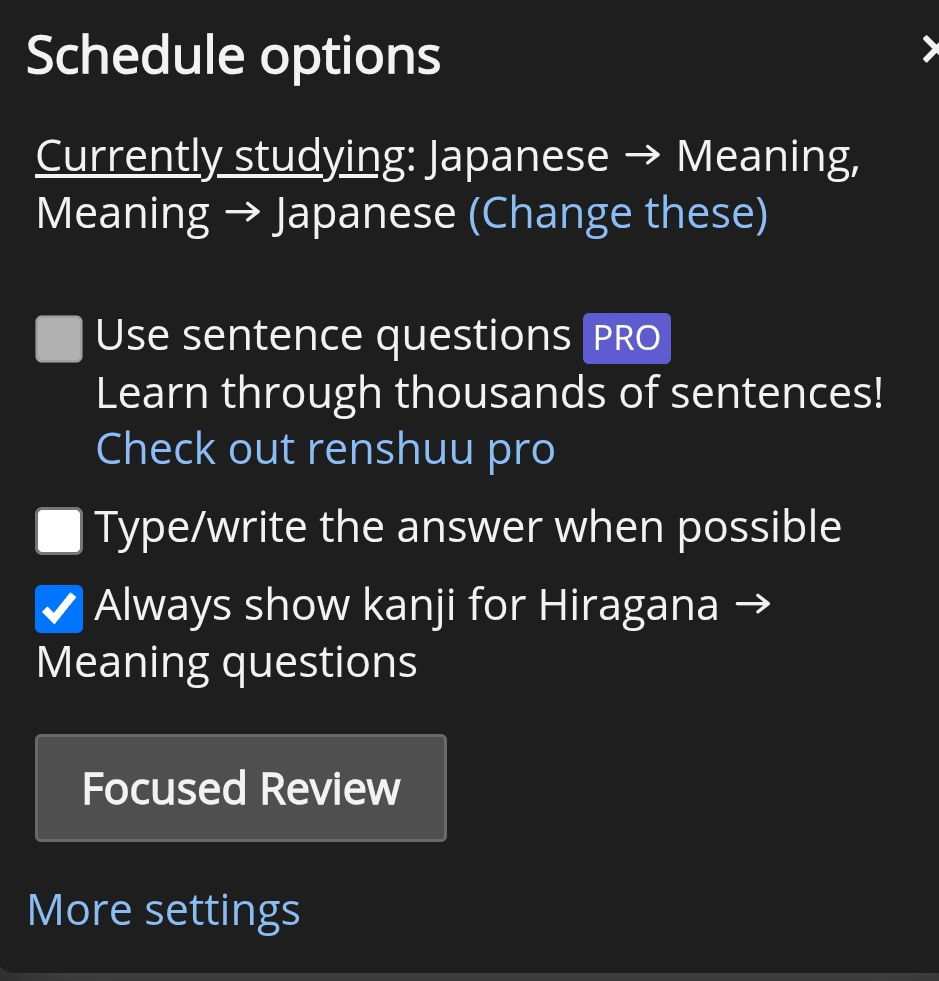
Go to settings for Basics (there should be a button next to it) and deselect kanji, this has happened to a few beginners this week. Presumably a bug made everyone's kanji option switch to 'yes'

1
3 days ago
avatar
GreenOrca
Level: 74
Sà:m (0224, 8:51)

Go to settings for Basics (there should be a button next to it) and deselect kanji, this has happened to a few beginners this week. Presumably a bug made everyone's kanji option switch to 'yes'

​Please could you provide a screenshot so I can see which setting it is, I can't seem to find it. Thanks.

0
3 days ago
avatar
Sà:m
Level: 60
165eb30960349bbe94ca6dfb.jpg

In the main settings page click 'more settings'...

0
3 days ago
avatar
GreenOrca
Level: 74
Sà:m (0224, 19:38)
165eb30960349bbe94ca6dfb.jpg

In the main settings page click 'more settings'...

Which setting in the more settings do I need change within that section. I have tried a load of combinations but the kanji seems to persist. Thanks

0
3 days ago
avatar
Sà:m
Level: 60

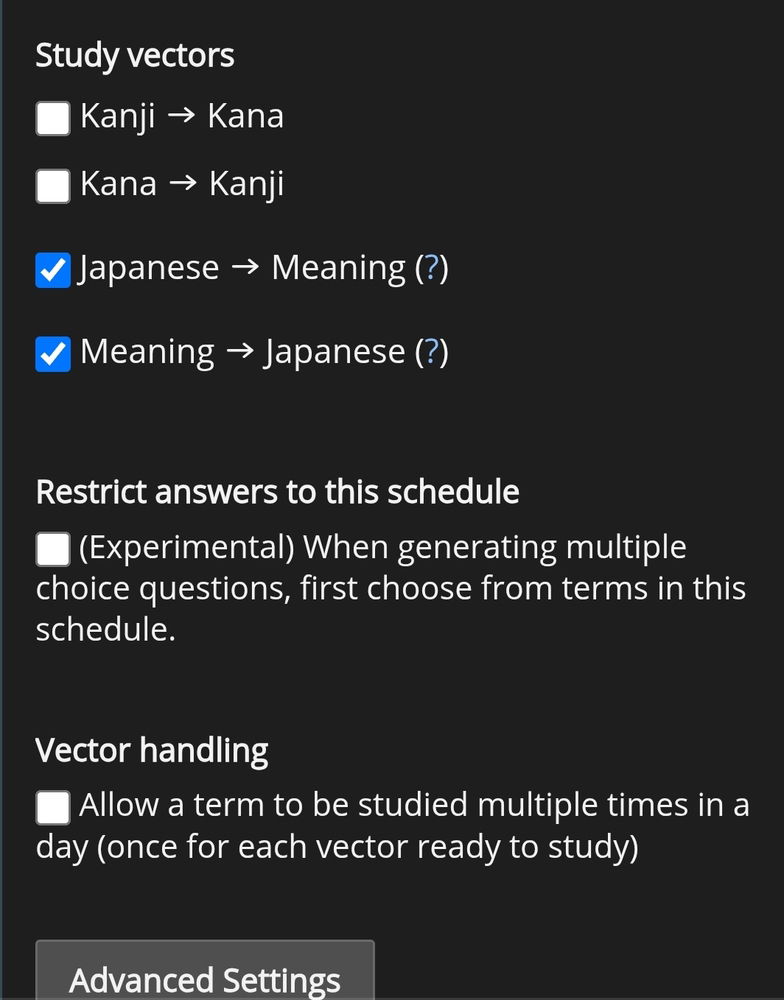
Then scroll down and deselect the kanji options...

b0ae1b8a6ede8cb4d1476911.jpg

deselect the kanji options

0
3 days ago
avatar
Sà:m
Level: 60

At least I'm pretty sure that's what worked for me.

1
3 days ago
avatar
GreenOrca
Level: 74
Sà:m (0224, 19:40)

Then scroll down and deselect the kanji options...

b0ae1b8a6ede8cb4d1476911.jpg

deselect the kanji options

​Thanks, I have tried this. I will do it again and then reload the platform see if that sorts it out.

1
3 days ago
avatar
Sà:m
Level: 60
GreenOrca (0224, 19:41)
Sà:m (0224, 19:40)

Then scroll down and deselect the kanji options...

b0ae1b8a6ede8cb4d1476911.jpg

deselect the kanji options

​Thanks, I have tried this. I will do it again and then reload the platform see if that sorts it out.

​Hope it works out. If not it has to be some kind of bug.

0
3 days ago
Getting the posts


Top > renshuu.org > Questions about renshuu


Loading the list
Lv.

Sorry, there was an error on renshuu! If it's OK, please describe what you were doing. This will help us fix the issue.

Characters to show:


Use your mouse or finger to write characters in the box.
■ Katakana ■ Hiragana