Hi all! I'm new to Renshuu after coming from Duolingo and Memrise, and I'm totally confused at how to set up/use this app. I had assumed that Renshuu would be kind of similar to those two apps in that it would give me a brief lesson or flashcards, and then a quiz along a "lesson path" of some sort, with the lessons getting harder as I progress.
I see number of mastery schedules on My Schedule, but each lesson seems to be very...compact, and then there are a bunch of lessons from different levels. For example, "Words for Japanese Basics" only has 29 words in it (I expected there to be more?) and right underneath that, "Words for Intermediate" has 52 words. Right underneath that, there's an Intermediate Kanji (N3) mastery schedule (which is currently way out of my league) and that has 379 kanji. I think there are all preloaded into my schedule as I didn't add them myself. I've heard you'd need to know about several hundred Japanese vocabulary at the beginner level, so these lessons seem to be very short? Or is there some feature I need to toggle to open up more words?
On another front, I'm currently preparing for the JLPT this year and I would like to know if the questions in Renshuu Pro were helpful and reflective of the real test? Truth be told, one of the main reasons I came over to Renshuu was because I wanted to utilize the JLPT questions, but I need to figure out how to use the rest of the app before I can commit to the Pro account.
I'm also new but I have been here for a few days already and have tried both Duolingo Memrise so I will answer some but hope someone more experienced can add more to it
> Renshuu after coming from Duolingo and Memrise, and I'm totally confused at how to set up/use this app. I had assumed that Renshuu would be kind of similar to those two apps
Renshuu is more flexible and modular, on Memrise you have some sort of flexibility but Renshuu seems to be WAY more and this makes essential for you to just do what's pre-configured which brings me to some things:
Your level is 1, I also was but leveled up after answering some questions about my preferences (so you probably skipped it? it would have helped you better understand and set the path for you)
Now you're probably wondering what are levels, Duolingi has XP linmed to each language you learn, here there is XP but comes with leveling system which you will gain from doing exercises
You should check out the settings if you want to "tweak" your preferences
You should also since you likely skipped introduction questions, check for lists (like Memrise has too, but there it is called "custom wordlists", here they are just "lists/community lists"
From what I understood so far vocabulary pre-made doesn't show total to learn from the get go, they start expanding as you progress (not sure if you can check unless you finish then maybe?)
On your "my schedules"/schedules dashboard, you can add some of these pre-made schedules made for yiu to learn and progress linearly like in Memrise/Duolingo courses (except here you will be able to take terms apart to new schedules or add to lists of your own, eo it's agaun, more flexible but doesn't concern you if you want to worry less about planning, I'm using schedules I'm getting and separate what I need to reinforce more), apparently some are aligned to JLPT which is good for you (and you can make custom wordlist/lists of your own from dictionary which has a way to filter by JLPT level too (which Duolingo doesn't and is terrible), so far I uninstalled Duolingo because it seems pretty obsolete compared to Renshuu if you don't care about their speaking practice AI, maybe you ciuld benefit from Memrise differently but it seems worth so far trying to learn this platform since it's more flexible, I seem to be retaining information a lot better here in a few days than months of Duolingo (which maybe on botth my fault and Duolingo's fault I had a lot of gaps on my understanding of Kana - Renshuu has a Kana Chart under Resources by the way! I'm treating mnemonics as my friends now on learning Japanese which is something you won't have on either Duolingo or Memrise)
On Community Lists under Resources, you could also search for JLPT lists but they are community made so keep it in mind
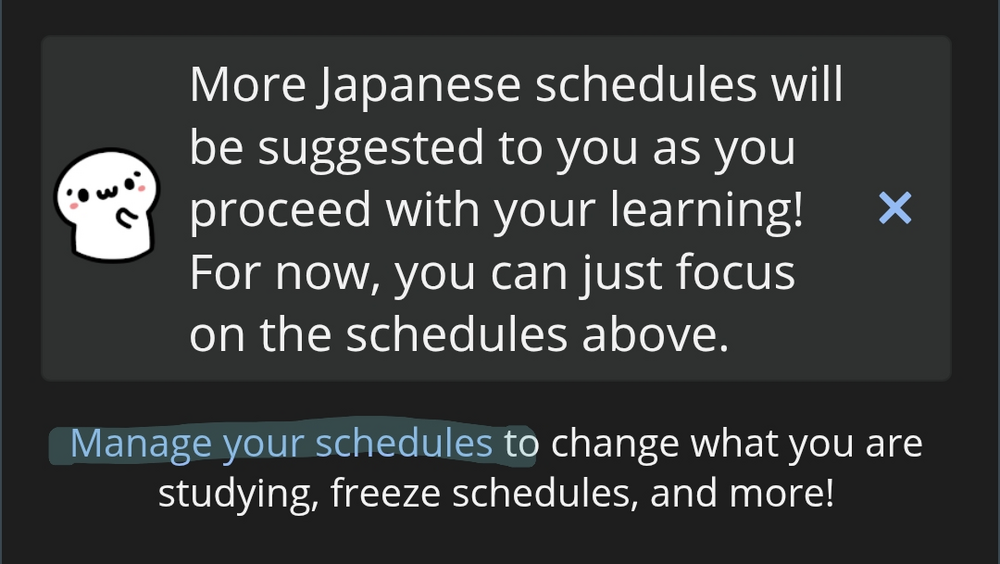
More schedules get suggested to you as you go through them. Do the basics one. It gives you six words at a time and the a quiz. You can also add schedules from here on your dashboard.
The basic idea of renshuu is: You want whatever you want, however you want and whenever you want. The pre-made schedule (the one you're talking about) are specific schedule, design to make your learn Japanese with a certain progression in mind, and made by renshuu.
That's also why you only see 29 words for now. You need study all of them and then something will appear to add the next batch of words (but you can also wait until you reach a higher mastery level for those words, up to you). It's also link to the grammar schedule and you will have a prompt at some point to add the next batch. So don't worry it's normal :) (At least if it didn't change too much from what I remember, I only used those schedule for a short before starting to use to my own schedule)
At for your others question, I'm not interested by the JLPT (and I don't like those questions), so I will leave that part to someone else. I'm not sure why you have the Intermediate Kanji (N3) but you can remove it for now. It will be always accessible, you just need to click on "manage your schedules" like 6匹の踊る鼠 said.
Feel to take your time with the app though. There is a lot of features, a lot of settings and since the basic principle is like: freedom (to learn however you want). Which can be quite confusing. Well, not can, "is" confusing. So don't hesitate if you have any questions :3
頑張ってね~
PS: There are also other official lists made by Renshuu for textbook or alternative kanji list, so feel free to check them too.
So those low numbers you're seeing are kind of wrong. The suggested mastery schedules are made of several lists and lists contain many terms.
If you click the 3 dots next to a schedule on your dashboard, you'll see every list inside and the number of terms in each list. The basics vocab schedule actually has 507 words in it. Finishing the first list of 29 unlocks the next, and so on until you complete the schedule.
I’m new too, I used to do Duolingo as well. But it’s pretty useless, why does it teach me department store?!? I’m trying to find my way around renshuu.
I’m new too, I used to do Duolingo as well. But it’s pretty useless, why does it teach me department store?!? I’m trying to find my way around renshuu.
It teaches you department store because it's a common word in Japanese and you need to know it. If you don't like the recommended order, you can make your own lists and mastery schedules, or use community-provided ones. I suggest sticking with the recommended order though.